
The Conversation: Building a Branching Scenario from Concept to Deploy in One Day
A visual novel-style Storyline module targeting new people managers, designed to prove that empathy-driven soft skills training can be engaging, polished, and instructionally rigorous without a massive budget or timeline.
Timeline
~1 Day
Tool
Storyline 360
Format
4 Decision Points
AI-Assisted
Midjourney + Claude
Images Generated
~140
The Problem I Was Solving
This was a deliberate portfolio piece designed to fill a gap. I already had CyberWise (a custom-built, gamified cybersecurity module) in my portfolio, which demonstrated technical depth and complex interactivity. What I needed was a complementary piece that showed:
- • Tool fluency with Storyline 360, the industry standard
- • Soft skills domain - people management, difficult conversations
- • Scenario writing and meaningful consequences carrying the experience on their own
- • Tight scope execution - polished work shipped fast
The two pieces together tell a story: I can build from scratch when the project demands it, and I can deliver within standard tooling when it doesn't. Technical range + design fundamentals.
Visual Design & Art Direction
Corporate eLearning has an aesthetic problem. Stock photos of people in blazers pointing at whiteboards don't create emotional engagement, and they actively signal "skip this." I chose a visual novel aesthetic deliberately. It's a format built for dialogue-driven storytelling with character expression states, which maps perfectly onto a branching conversation scenario. It differentiates the piece immediately and signals creative intentionality.
Palette
Typography
Serif for titles, clean sans-serif for body/dialogue
Dimensions
1280 × 720, 16:9
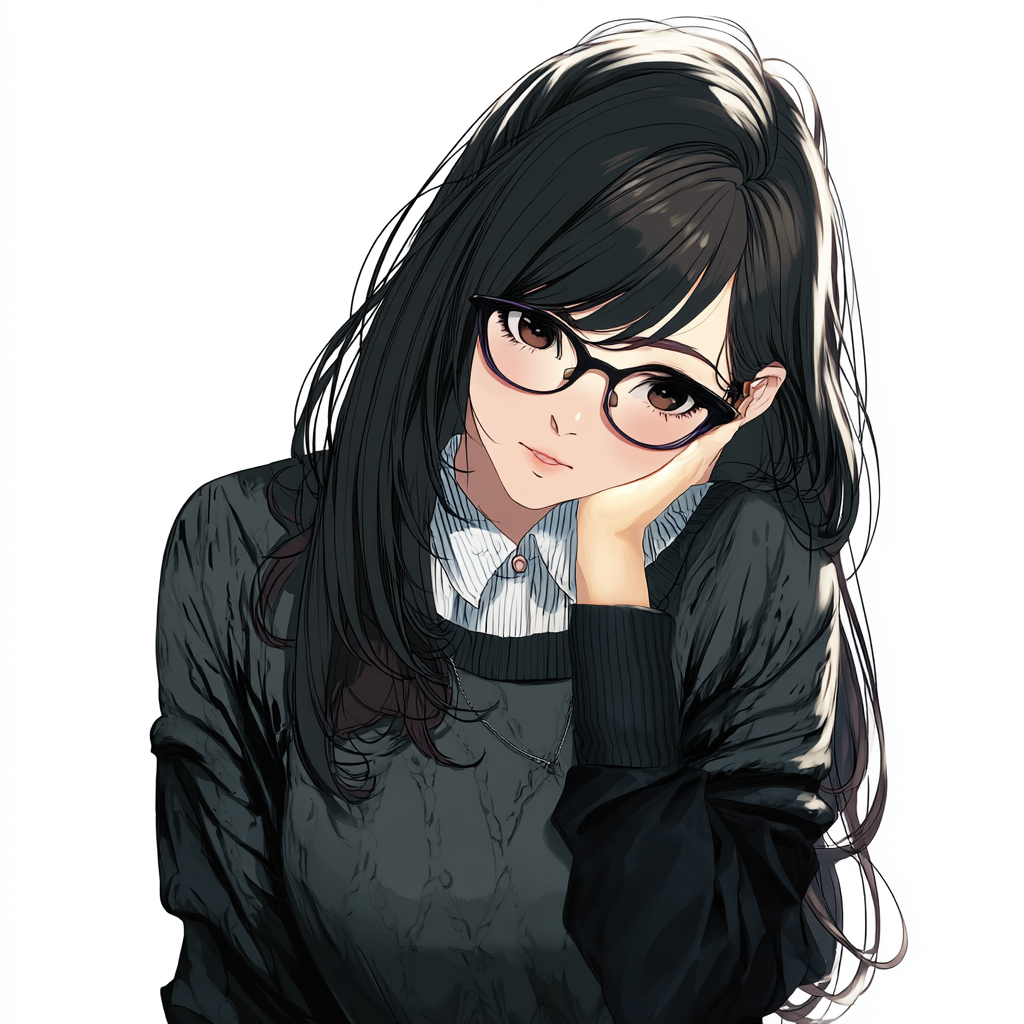
Final Character Design: Expression States

AI-Assisted Asset Creation
This is where the process gets interesting, and where I want to be transparent about what AI art generation actually looks like in practice.
I generated approximately 140 images across multiple iterative Midjourney sessions to arrive at the final assets used in the module. AI image generation is an iterative creative process with its own skill curve, and getting consistent, usable results takes real effort.
Character Design Workflow
Character Reference Sheet

The initial character reference sheet generated in Midjourney Niji 6. This became the foundation for all subsequent expression generations.
- Reference sheet generation. Started with a detailed descriptive prompt establishing Yuki as a Japanese woman in her late 20s, long black hair, black-rimmed glasses. Early generations put her in a blazer, but I decided to switch to a dark knit sweater over a collared shirt. Still chic, but it felt more approachable and professional for the scenario's tone.
- Face crop for consistency lock. Selected the strongest result and cropped to a tight face close-up. This becomes the anchor for all subsequent generations.
- Omni Reference (--cref) pipeline. Used the face crop as a character reference, locking Midjourney onto the established design across different expressions and poses.
- Expression state generation. Generated 4 final states for Yuki: neutral, guarded/defensive, receptive/open, and relieved/engaged. Each required multiple generation rounds to get right.
- Background removal. Processed all final character assets through remove.bg for transparent PNG export.
Early Iterations



A sampling of early Midjourney generations, each produced with similar prompts but different seeds and parameter tweaks.
Prompt Engineering Lessons
Negative prompts are critical. Added --no ponytail, multiple characters, open collar to prevent common Niji 6 drift.
Describe emotions through physicality, not labels. "Eyes downcast, head slightly bowed" produces more consistent results than "sad."
Closed-mouth expressions require specific language. "Warm eyes, soft gaze" works. "Smile" almost always produces open-mouth toothy grins.
140 images for 4 final assets is a realistic ratio. Character consistency across expressions is genuinely hard.

Niji 6 drift: anatomical inconsistencies and unwanted style shifts were common without careful negative prompting.
The Funnel: From 140 to 4
Early Iterations
Early iterations
~140
4
selected
Final Expression States
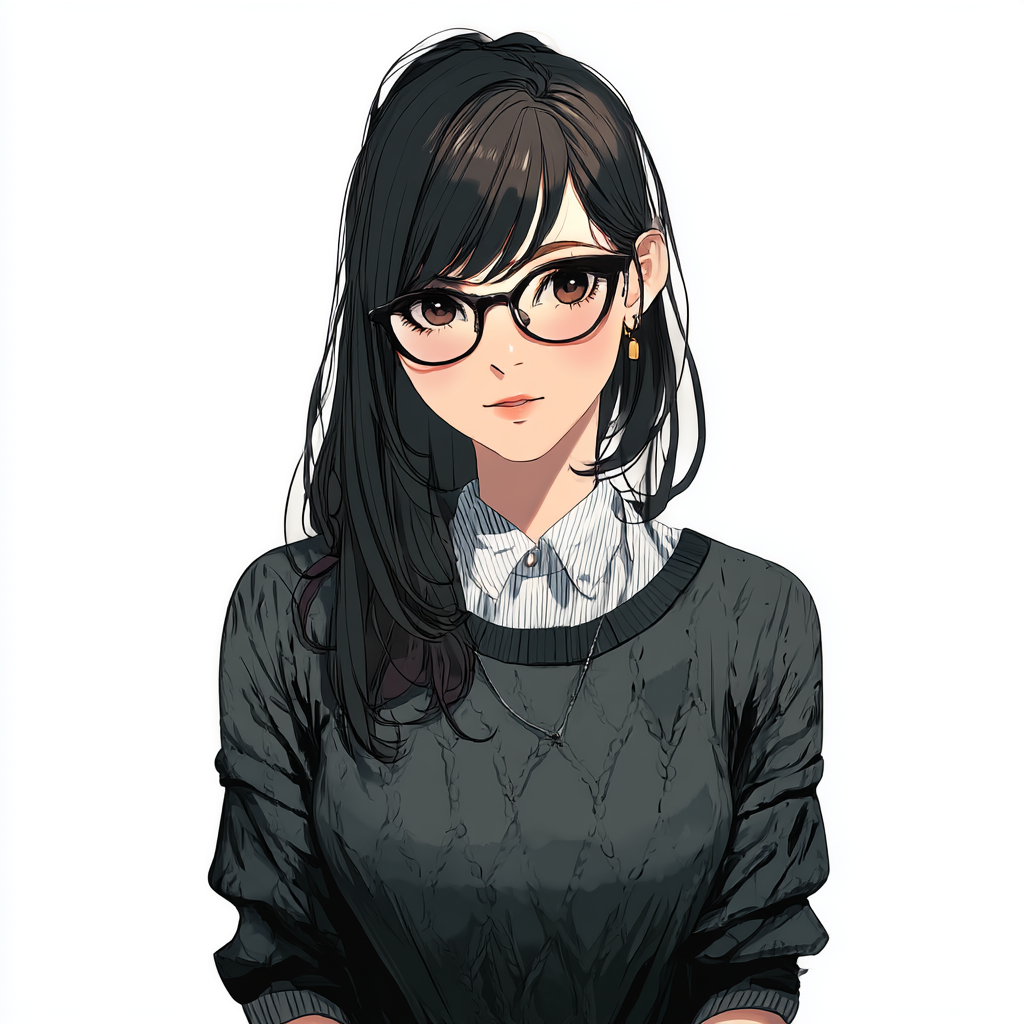
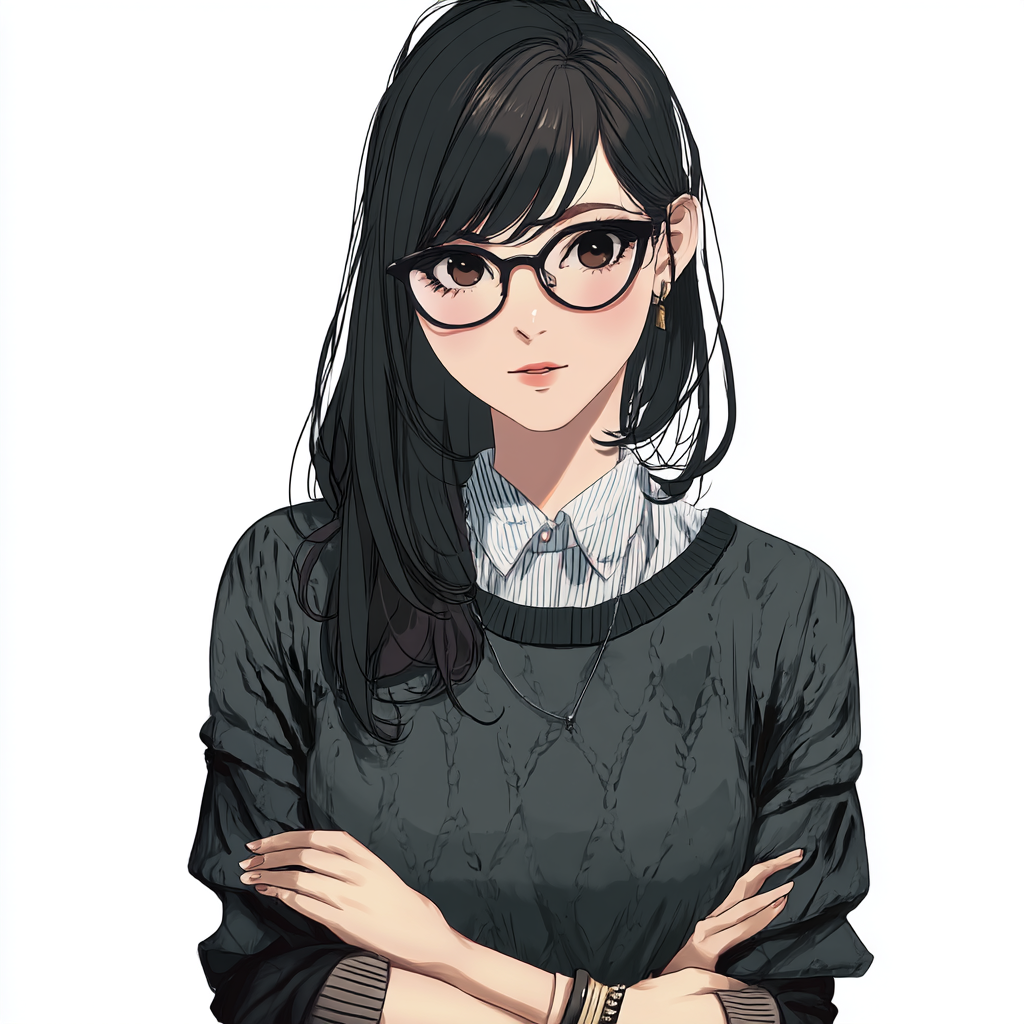
Consistent design locked via --cref pipeline
Background Assets
Generated using Midjourney Niji 6. The main background depicts a modern office interior: a meeting room with chairs and a desk, large window with natural light and city view, bookshelves, warm afternoon lighting in muted navy/slate tones. A second background with cooler blue-hour tones was generated for the debrief screen.
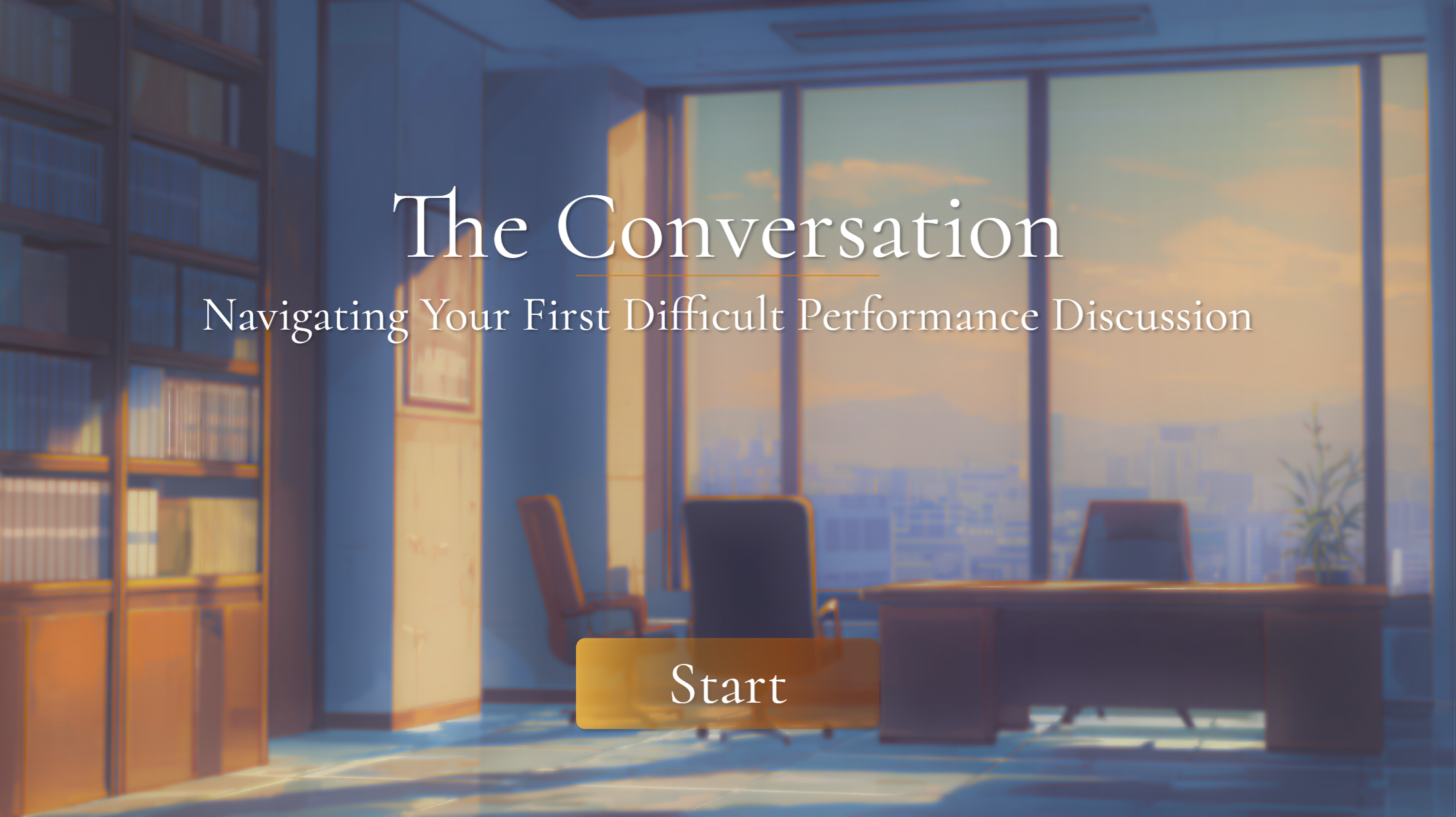
The final title screen, combining the background art and the Storyline UI elements.
Storyline Technical Build
Modern player style with most navigation stripped except volume control. No seekbar, no menu. The learner progresses through dialogue and choices only, reinforcing the visual novel feel.
Under the hood, the module runs on a lightweight variable system that tracks what the learner chooses, how Yuki is responding, and what score tier they'll land in at debrief.
Variable Architecture
scoreCumulative across all decision pointsyuki_stateTracks character receptivenessdp1_choice–dp4_choiceStores labels for results
Trigger Logic
- Best: score +3, yuki_state +1
- Acceptable: score +2, yuki_state unchanged
- Poor: score +1, yuki_state -1
Character State System
Each reaction slide has a single Yuki image object with 3 built-in states (Receptive, Neutral, Guarded). On timeline start, conditional triggers read yuki_state and switch to the appropriate state, so the learner sees Yuki's body language shift based on their cumulative choices.
Debrief System
Score tier display uses a single text box with 3 states set by conditional triggers. Dynamic score shown via %score% variable reference with typewriter effect on narrator text. The debrief closes with the SBI+I framework (Situation, Behavior, Impact, Intent). By this point the learner has already experienced why each element matters through their choices, so the framework lands as a codification of what they just lived through.
Results Page Integration
A JavaScript trigger on the final slide reads all variables via GetPlayer(), constructs a URL with score and choice data as query parameters, and opens an external results page. That page parses the parameters and renders a choice review panel showing what the learner picked vs. the optimal response at each decision point, all in the same navy/amber design system.
Tools & Credits
| Tool | Use |
|---|---|
| Articulate Storyline 360 | Module authoring, interactions, triggers, states |
| Midjourney (Niji 6) | Character sprites and background art generation |
| Photoshop | Image tweaks and cleanup on Midjourney output |
| Remove.bg | Background removal on character assets |
| Claude (Anthropic) | Build planning, prompt engineering strategy, Storyline troubleshooting, results page code |
| GitHub Pages | Hosting and deployment |
See It in Action
Experience the branching scenario yourself. Make the choices, see the consequences, and explore the debrief.
Play the Module